
Works with Outlook subscriptions
Use Outlook.com's Subscribe from web flow or Outlook desktop's internet calendar option.
GroupMe → Outlook
To sync GroupMe events to Outlook, connect GroupMe in gmCalSync, copy the group's private iCal link, then add it in Outlook.com with Add calendar → Subscribe from web, or in Outlook desktop with Add Calendar → From Internet. Outlook re-reads the feed on its own schedule, so GroupMe events keep appearing beside work and school commitments.
Private links • Read-only • Free trial • Cancel anytime • Last updated July 22, 2026
Outlook works well as the main calendar for work, school, and family planning. gmCalSync helps GroupMe events appear there without copying event names, dates, and locations by hand.
Create a private feed for the GroupMe group, add it as an internet calendar in Outlook, and let Outlook pull updates from the subscription.
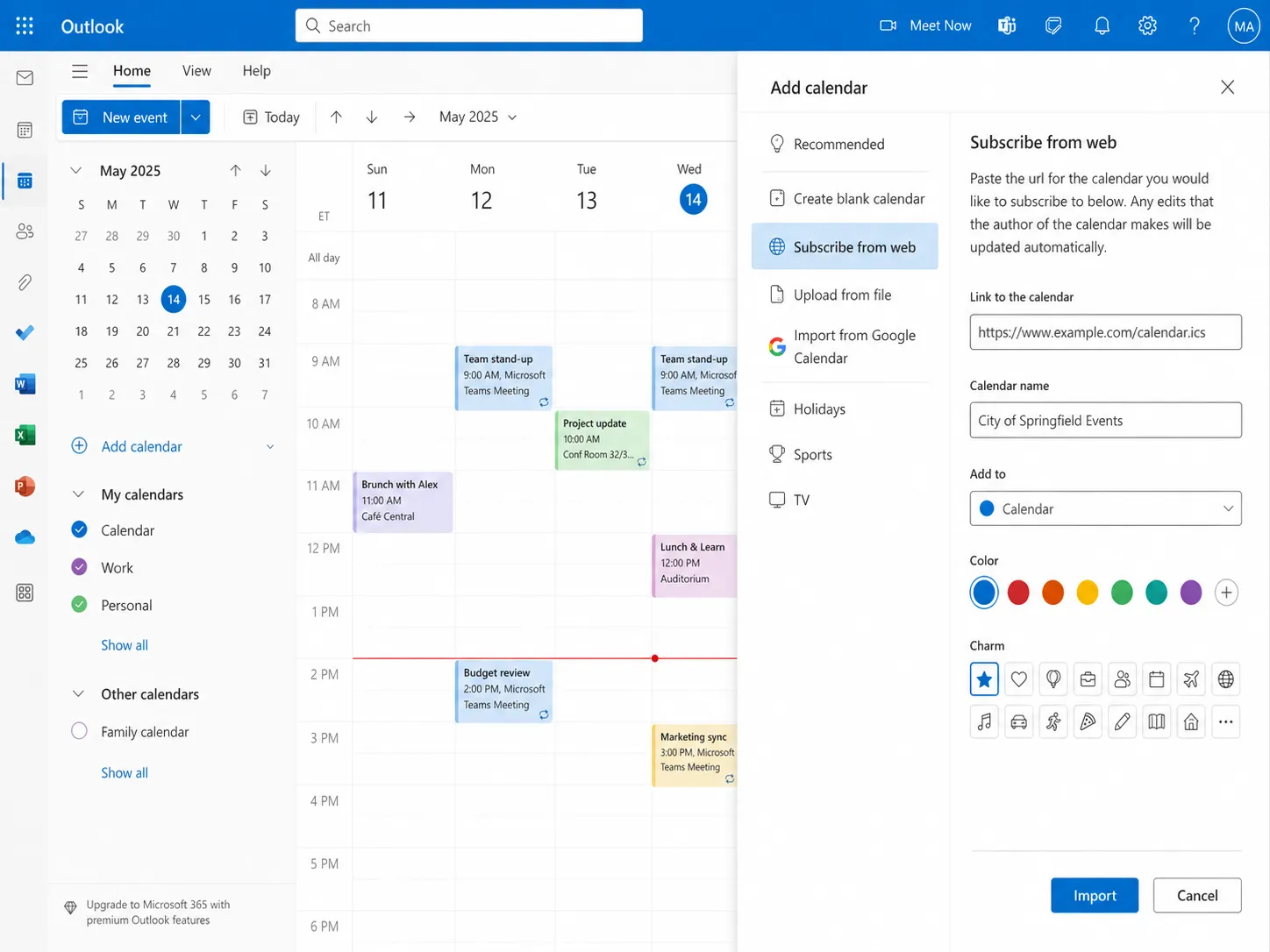
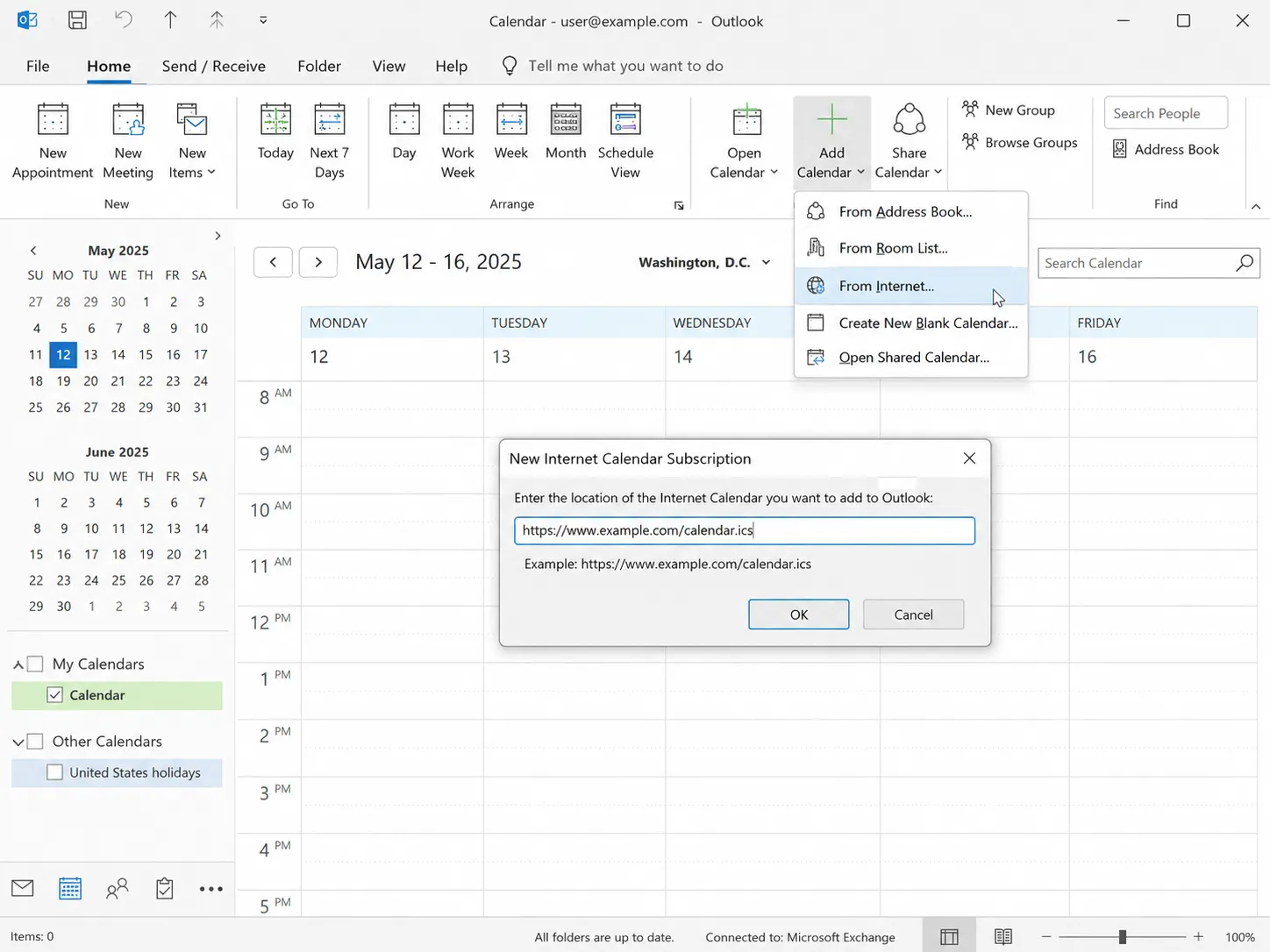
When practices, meetings, carpools, and events live in GroupMe, Outlook users need them next to work and school commitments. gmCalSync gives Outlook a calendar feed it understands.
Using more than one calendar? The same link also works in Google Calendar and on iPhone.
Use Outlook.com's Subscribe from web flow or Outlook desktop's internet calendar option.
Each calendar link is unlisted and read-only, and should only be shared with people you trust.
A subscription keeps checking the feed instead of importing a one-time snapshot.
Yes. gmCalSync creates a private iCal link for your GroupMe events, and Outlook can add it as a subscribed web calendar.
Yes. Outlook desktop can add an internet calendar URL, and Outlook.com can use Subscribe from web.
Yes. Outlook refreshes subscribed calendars on its own schedule, and the timing is controlled by Outlook.
Usually. Some organizations block internet calendar subscriptions; if yours does, add the feed to a personal Outlook.com account instead.
Connect GroupMe, choose the groups you want to sync, and generate private calendar links for the calendar apps your household or team already uses.
Private links • Read-only • Free trial • Cancel anytime