
Add details before names
Use short labels, team initials, emoji, or activity names before each event title.
Custom event names
To customize how GroupMe events appear in your calendar, set an Event Name Prefix on the group in gmCalSync. Enter something short like "BP 🏀:" and a GroupMe event named Practice syncs as "BP 🏀: Practice." The prefix is written into the calendar feed, so it shows up everywhere you subscribe — iPhone, Google, Outlook, Android, or Skylight.
Private links • Read-only • Free trial • Cancel anytime • Last updated July 22, 2026
Some calendars have many teams, activities, and family groups side by side. gmCalSync lets you set an optional Event Name Prefix for each GroupMe group.
For example, enter BP 🏀: and a GroupMe event named Practice appears in your calendar as BP 🏀: Practice. The prefix is saved with that group and applied to the generated calendar feed.
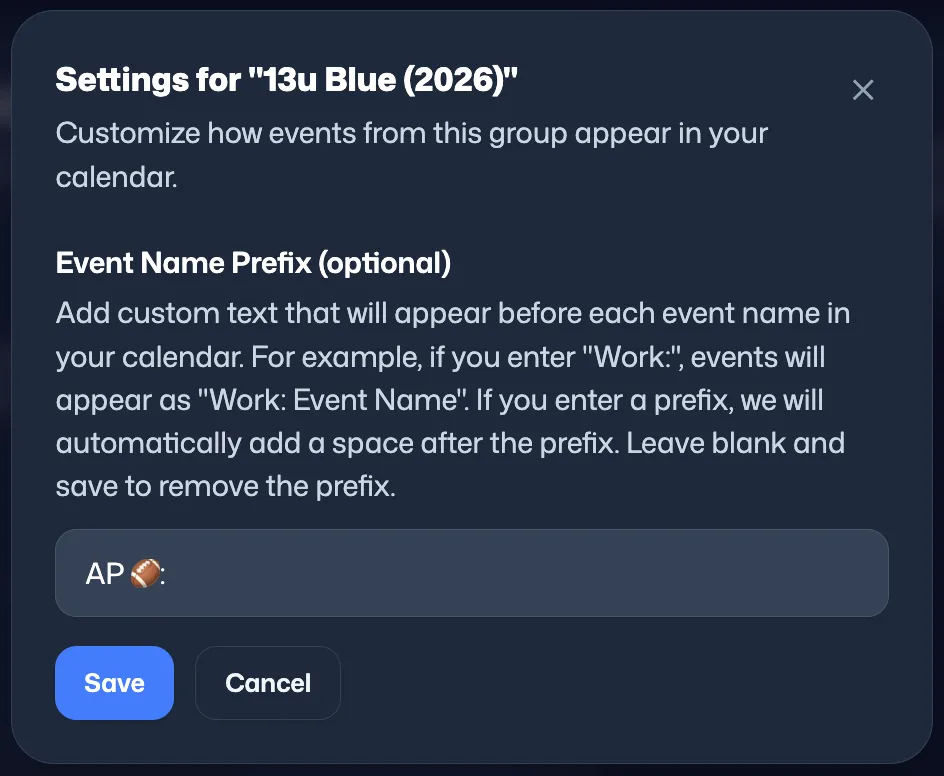
Practice, meeting, pickup, and game titles can look identical across calendars. Prefixes add the missing context before the event name, right where people scan first.
Prefixes apply to whichever calendar you subscribe from — Google, iPhone, Outlook, or Skylight.
Use short labels, team initials, emoji, or activity names before each event title.
Different GroupMe groups can use different prefixes, so each subscribed calendar stays clear.
The event summary is written into the iCal feed, so the prefix appears wherever you subscribe.
Yes. gmCalSync has an optional Event Name Prefix setting for each group, and the saved text is added before synced event names.
Yes. A short prefix such as BP 🏀: makes events easier to identify at a glance in your calendar.
No. The prefix only changes how the event name appears in the generated calendar feed.
Yes. The prefix is stored per group, so a team calendar and a school calendar can carry different labels.
Connect GroupMe, choose the groups you want to sync, and generate private calendar links for the calendar apps your household or team already uses.
Private links • Read-only • Free trial • Cancel anytime