
Setup guide
How to add GroupMe to Apple Calendar
To add GroupMe to Apple Calendar, copy the private iCal link gmCalSync creates for your group, then on iPhone or iPad go to Settings → Calendar → Accounts → Add Account → Other → Add Subscribed Calendar, paste the link, and tap Next then Save. On Mac, use Calendar → File → New Calendar Subscription. Apple then refreshes the feed in the background.
- Setup time
- About 5 minutes
- Works with
- Google, Apple, Outlook, Android, Skylight
- Calendar access
- Read-only private link
- Getting started
- Free trial, cancel anytime
Private links • Read-only • Free trial • Cancel anytime • Last updated July 22, 2026
iPhone or iPad steps
Fastest route: open gmCalSync on the device and tap the "Add To Apple Calendar" button, then choose a name and save. To do it manually instead:
- Copy your private iCal link from gmCalSync.
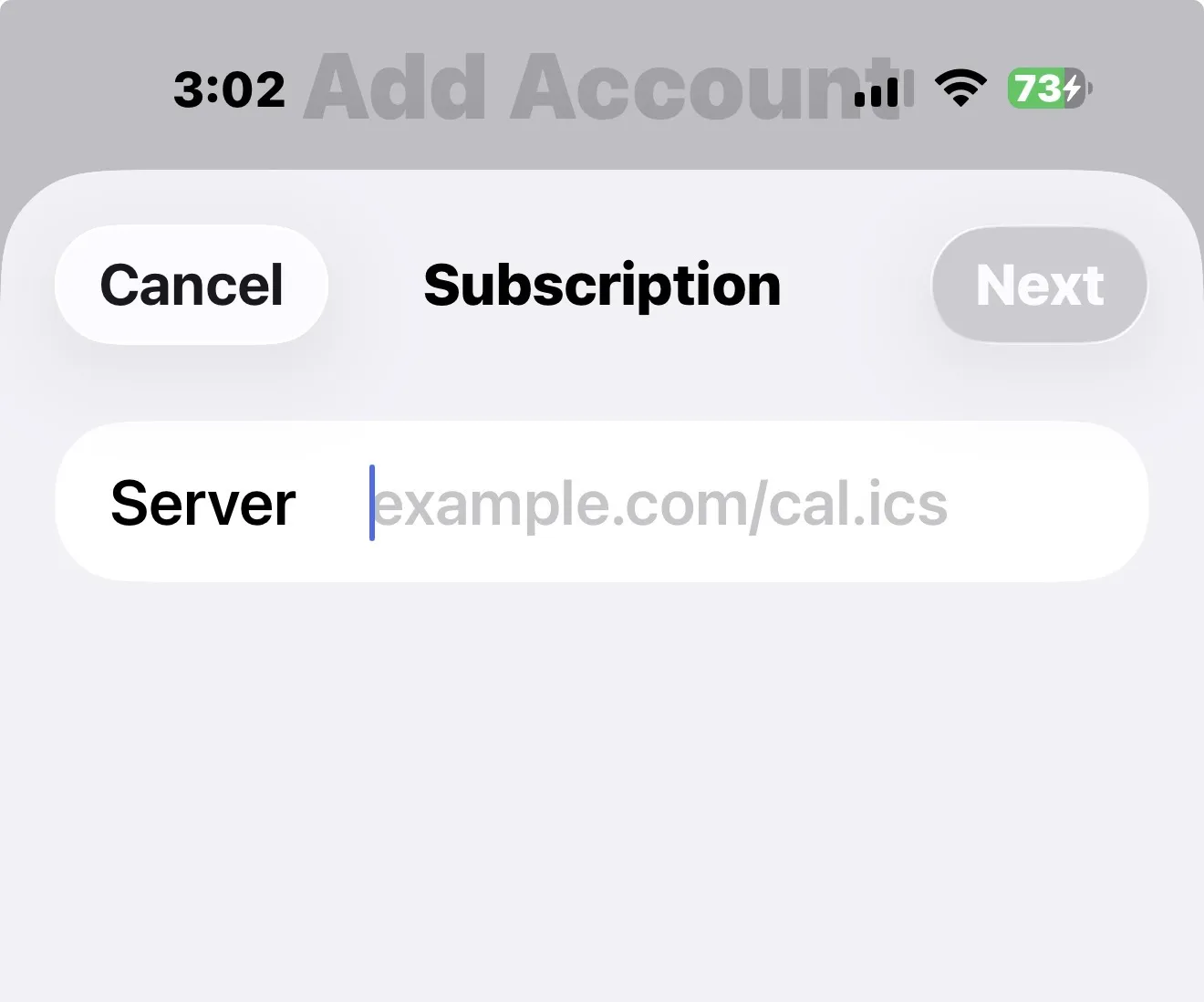
- Open Settings → Calendar → Accounts → Add Account → Other.
- Select "Add Subscribed Calendar."
- Paste the iCal link, tap Next, then Save.
Mac steps
The "Add To Apple Calendar" button works on Mac too. To add the subscription by hand:
- Open Apple Calendar.
- Click File → New Calendar Subscription.
- Paste the iCal link and click Subscribe.
- Choose a refresh frequency and save.
What to expect after subscribing
- Events are read-only in Apple Calendar — editing happens in GroupMe, and the feed follows.
- Apple decides when to refresh, so a brand new GroupMe event may take a few hours to appear.
- Each GroupMe group has its own link, so you can toggle group calendars on and off separately.
Nothing showing up yet? See why subscribed calendars update on a delay.
Frequently asked questions
How do I add a GroupMe calendar to Apple Calendar?
Copy the private iCal link from gmCalSync, then on iPhone or iPad open Settings → Calendar → Accounts → Add Account → Other → Add Subscribed Calendar, paste the link, tap Next and Save. On Mac use Calendar → File → New Calendar Subscription.
Does the same link work on iPhone, iPad, and Mac?
Yes. One private iCal link works in Apple Calendar on every Apple device. Adding it on a device signed into iCloud can also make it available on your other iCloud devices.
How often does Apple Calendar refresh the GroupMe feed?
Apple refreshes subscribed calendars on its own background schedule. On Mac you can pick a refresh frequency in the subscription settings; on iPhone the timing is controlled by iOS.
How do I remove the GroupMe calendar later?
On iPhone open Settings → Calendar → Accounts, select the subscribed calendar, and delete the account. On Mac right-click the calendar in the sidebar and choose Unsubscribe.
Related GroupMe calendar guides
Create your GroupMe calendar feed
Connect GroupMe once and gmCalSync generates a private iCal link for every group you choose.
Private links • Read-only • Free trial • Cancel anytime